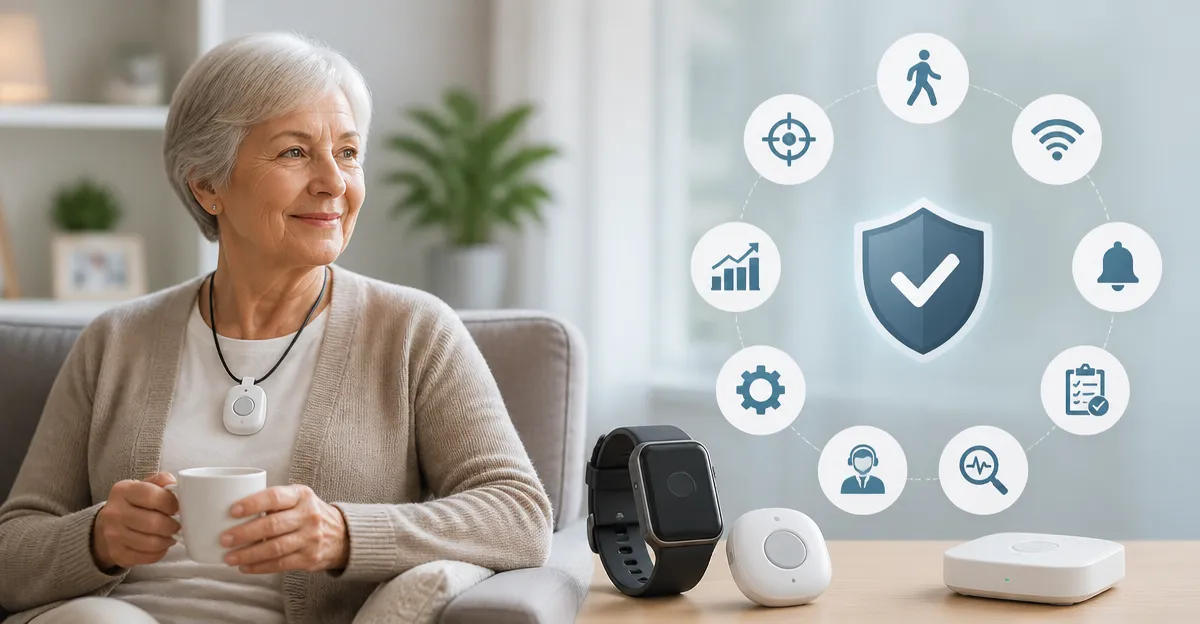
How to Reduce False Alarms in Fall-Detection Devices for Seniors: 10 Proven Ways to Improve Accuracy
Introduction
False alarms in fall‑detection devices create unnecessary stress for caregivers and can erode confidence in the technology. This guide explains ten evidence‑based strategies that significantly lower false‑positive events while preserving rapid response when a genuine fall occurs. Readers will understand why each method matters, how to implement it, and which commercial tools can streamline the process.
By following these steps, families and care facilities will experience fewer interruptions, lower operational costs, and a safer environment for seniors. The recommendations are grounded in real‑world product data, ensuring that every suggestion is both practical and affordable.
What You’ll Need
- Reliable fall‑detection device (e.g., ADT On-the-Go LTE/GPS Medical Alert)
- Supplementary caregiver pager (e.g., CallToU 2‑Button Wireless Caregiver Pager)
- Smartphone with the device’s companion app installed
- Basic tools for mounting sensors (adhesive pads, screws, level)
- Access to the device’s firmware update portal
Step 1: Choose a Proven, Dual‑Channel System
Begin by selecting a device that combines Wi‑Fi and cellular or Bluetooth pathways. Dual‑channel communication reduces reliance on a single network, preventing missed alerts when one channel experiences interference. The ADT On-the-Go LTE/GPS Medical Alert offers LTE/GPS backup alongside a built‑in Wi‑Fi module, ensuring continuous connectivity even during internet outages. Priced at $64.99 with a 4.8‑star rating from five reviews, it provides professional monitoring and optional fall detection.
Why this matters: A dual‑channel system can differentiate between a true emergency and a temporary signal loss, thereby lowering false alarms triggered by network glitches.
Step 2: Position Sensors Where Falls Are Most Likely
Correct placement of the wearable or pendant dramatically influences detection accuracy. Attach the device to a necklace or wristband that remains close to the torso, as this area experiences the most consistent motion patterns. The PRNBRH No‑Monthly App Medical Alert includes a 2‑button pendant that can be worn around the neck, offering a clear line‑of‑sight to the Wi‑Fi router and reducing signal attenuation caused by walls or furniture.
Guideline: Keep the pendant at least 1‑2 inches away from metal objects and avoid placing it under thick blankets, which can obstruct the radio signal.
Step 3: Calibrate Sensitivity Settings
Most modern devices allow users to adjust the threshold at which motion is classified as a fall. Start with the manufacturer’s default, then perform a series of controlled movements—such as sitting quickly, bending, and gentle drops from a seated position—to observe how the device responds. The CallToU 2‑Button Wireless Caregiver Pager provides 55 selectable ringtones and five volume levels, which can be paired with the main alert unit to confirm that the audible signal matches the calibrated event.
Adjust the sensitivity until normal daily activities no longer trigger alerts, but a rapid, uncontrolled descent does. Document the chosen setting for future reference.
Step 4: Minimize Environmental Interference
Electronic appliances, dense walls, and large metal objects can reflect or absorb radio frequencies, leading to spurious alerts. Conduct a site survey by walking through the home with the device active and noting any areas where the signal strength drops below the recommended level (typically -70 dBm for Wi‑Fi). Relocate the router or add a Wi‑Fi extender if necessary.
For environments with high humidity or occasional water exposure—such as bathrooms—the STECHRO 1‑Button Wireless SOS Pager offers an IP55 waterproof rating, ensuring reliable operation even when moisture is present. Priced at $18.99 with a 4.7‑star rating from 696 reviews, it is an excellent backup for wet‑area monitoring.
Step 5: Use Dedicated Receivers for Each Caregiver
When multiple caregivers share a single receiver, overlapping alerts can cause confusion and increase the chance of accidental dismissals. Allocate a personal receiver to each primary responder. The CallToU 2‑Button Wireless Caregiver Pager includes two receivers, each capable of displaying a unique LED number, allowing instant identification of which button was pressed.
Assign numbers based on location (e.g., "1" for bedroom, "2" for kitchen) so that caregivers can quickly assess where assistance is needed.
Step 6: Keep Firmware Up‑to‑Date
Manufacturers regularly release firmware updates that refine motion‑analysis algorithms and patch known false‑alarm triggers. Schedule a monthly check within the companion app to verify that the device runs the latest version. The ADT system, for example, pushes updates automatically when connected to LTE, ensuring that its fall‑detection model benefits from the most recent machine‑learning improvements.
Neglecting updates can leave the device operating with outdated thresholds, increasing the likelihood of erroneous alerts.
Step 7: Conduct Routine Test Drills
Simulated falls performed under controlled conditions help verify that the system responds as intended. Organize quarterly drills where a caregiver gently lowers the wearer from a seated position to the floor. Observe the time taken for the alert to reach the receiver and note any false activations caused by non‑fall movements.
Document the results and adjust sensitivity or placement based on findings. Regular drills also reinforce caregiver confidence in the system.
Step 8: Educate Seniors on Proper Button Use
Even the most sophisticated detection algorithms cannot replace a well‑timed manual alert. Train seniors to press the dedicated panic button immediately after a fall, rather than waiting for the device to auto‑detect. The PRNBRH No‑Monthly App Medical Alert features two distinct buttons, each linked to a unique number on the receiver, simplifying the identification process for caregivers.
Provide a simple instruction card near the bedside and rehearse the procedure weekly to build muscle memory.
Step 9: Leverage Smart Home Integration
Many fall‑detection devices can be linked to smart‑home platforms such as Tuya Smart or Smart Life. By integrating the alert with voice assistants (e.g., Alexa), a spoken confirmation can be issued, reducing the chance of accidental button presses. The PRNBRH system supports such integration, allowing multiple family members to receive push notifications simultaneously.
Smart integration also enables automated actions, such as turning on lights when a fall is detected, which can aid in self‑rescue and reduce panic.
Step 10: Review Alert Logs and Adjust Accordingly
Most devices maintain a log of triggered events, including timestamps, signal strength, and button identifiers. Review these logs weekly to identify patterns—such as repeated alerts in a specific room—that may indicate environmental issues or sensor misplacement.
Use the insights to reposition devices, fine‑tune sensitivity, or add supplemental receivers. Continuous data‑driven refinement is the most reliable method to sustain low false‑alarm rates over time.
Tips & Pro Tips
- Maintain a clear line of sight between the wearable and the router; avoid placing the router inside metal cabinets.
- When using multiple devices, assign distinct ringtone patterns to each caregiver to prevent confusion.
- Consider a backup battery pack for the receiver in case of power outages; most plug‑in receivers support UPS connections.
- Regularly clean the sensor surface to prevent dust buildup, which can interfere with motion sensors.
Troubleshooting
- False alarm after pet movement: Reduce sensitivity or relocate the device away from pet activity zones.
- No alert during a real fall: Verify that the battery is fully charged and that the device firmware is current.
- Intermittent connectivity: Install a Wi‑Fi extender or switch to the LTE backup on the ADT system.
- Receiver not sounding: Check volume settings on the CallToU pager and ensure the speaker is not obstructed.
Conclusion
Reducing false alarms in senior fall‑detection devices requires a systematic approach that combines proper hardware selection, strategic placement, calibrated sensitivity, and ongoing education. By implementing the ten steps outlined above, families and care facilities can achieve a measurable decline in erroneous alerts while preserving rapid response for genuine emergencies. Continuous monitoring of logs and periodic firmware updates ensure that the system remains accurate as the home environment evolves.
Adopt these practices today to provide seniors with the confidence of reliable protection and to give caregivers peace of mind.
Products Mentioned in This Guide
Frequently Asked Questions
Why do fall‑detection devices generate false alarms?
They often misinterpret rapid movements, sitting down quickly, or environmental vibrations as falls.
How can device placement reduce false positives?
Mount the sensor on a stable part of the body (e.g., waist or chest) and avoid loose clothing that can shift during activity.
What role does sensitivity calibration play in accuracy?
Adjusting the device’s sensitivity thresholds to match the senior’s typical activity level filters out minor motions while still detecting real falls.
Can adding a caregiver pager improve response to genuine falls?
Yes, a dedicated pager ensures alerts go directly to caregivers, reducing delays caused by missed phone notifications.
Are there specific features to look for in a fall‑detection device to minimize false alarms?
Choose models with multi‑sensor fusion (accelerometer + gyroscope), adaptive algorithms, and optional GPS verification for higher reliability.