Introduction
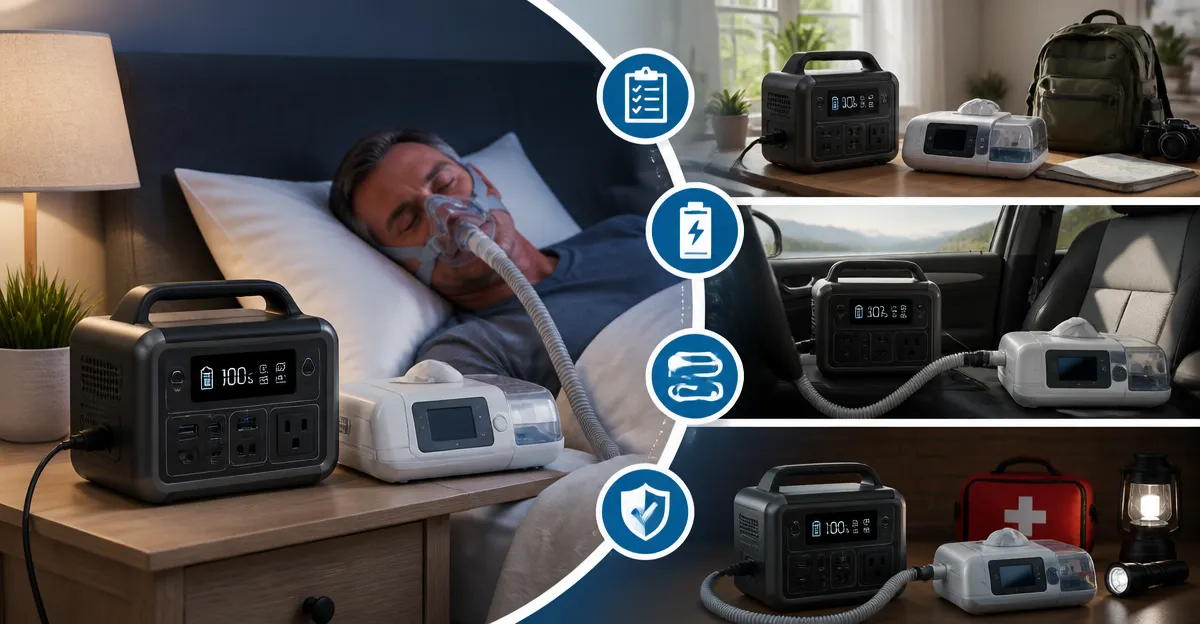
In this guide the reader will learn how to create a reliable backup power supply that keeps CPAP machines and other medical devices operating during power outages, while traveling, and in emergency situations. The process combines careful assessment of power needs, selection of appropriate battery or UPS units, proper wiring, and routine testing. By following each step the reader can avoid interruptions that could compromise sleep therapy or critical health equipment. The guide also highlights cost‑effective products that simplify the setup without sacrificing performance.
What You'll Need
- Portable power station or UPS unit (see product recommendations below)
- CPAP battery backup (if travel or airline compliance is required)
- Appropriate AC adapters, USB‑C cables, and DC connectors for the CPAP model
- Surge‑protected power strip for ancillary devices such as routers, phones, and lights
- Solar panel (optional for extended outdoor use)
- Multimeter or UPS monitoring software for periodic testing
Step 1: Determine Power Requirements
The first major step is to calculate the wattage and runtime needed for the CPAP machine and any auxiliary equipment. Most modern CPAP units consume between 30 W and 60 W when the humidifier is disabled; adding a heated tube can increase consumption to roughly 90 W. Multiply the expected wattage by the number of hours of nightly use to obtain the total energy demand in watt‑hours (Wh). For example, a 45 W device used for eight hours requires 360 Wh of stored energy. Knowing this figure guides the selection of a battery or UPS that can supply the required runtime without excessive weight.
It is also prudent to account for additional loads such as a Wi‑Fi router, phone charger, or bedside lamp. Adding a modest 15 W router and a 5 W lamp raises the total demand to 410 Wh. This calculation ensures the backup system will not be undersized, which could lead to premature shutdown during an outage.
Step 2: Choose a Primary Backup Power Source
For stationary home use a line‑interactive UPS with pure sine‑wave output offers the cleanest power and automatic voltage regulation. The CyberPower CP1500PFCLCD provides 1500 VA/1000 W capacity, twelve outlets, and a color LCD panel that displays real‑time load and battery status. Priced at $239.95 and rated 4.5/5 stars, it supplies up to one hour of runtime at a 400 W load, which comfortably covers a CPAP machine and a router. Its pure sine‑wave output protects sensitive medical electronics from harmonic distortion that can occur with simulated waveforms.
For portable or off‑grid scenarios a lightweight lithium‑iron‑phosphate (LiFePO4) power station is advantageous. The Jackery Explorer 300 delivers 292 Wh of usable energy, weighs only 7.5 lb, and includes a 100 W USB‑C PD port, two AC outlets, and a 120 W car port. At $259.00 and a 4.6/5‑star rating, it can run a 45 W CPAP for roughly six hours, and its fast solar‑charging capability extends endurance when paired with a compatible solar panel. The integrated handle simplifies transport during camping trips or disaster‑relief deployments.
Step 3: Connect the CPAP to the Backup Source
If the CPAP model accepts a direct 24 V DC input, using a dedicated CPAP battery eliminates the inefficiency of AC‑to‑DC conversion. The EASYLONGER ES960 provides 297.6 Wh of LiFePO4 capacity and includes four CPAP cables compatible with major brands such as ResMed and Philips. Priced at $269.99 and holding a 4.5/5‑star rating, it can power a CPAP for more than two nights without humidifier use. Because the battery outputs DC directly to the machine, energy loss is minimized, extending usable runtime compared with an AC‑powered solution.
For airline travel the EASYLONGER ES270 offers a TSA‑approved 99.9 Wh capacity, fitting within the 100 Wh limit for carry‑on luggage. At $139.99 and a 4.3/5‑star rating, it includes a 100 W USB‑C PD port for laptop charging and a wireless charging pad for smartphones, making it a versatile travel companion. When the CPAP is connected, the pass‑through function ensures uninterrupted power even if the battery is being recharged from a vehicle or solar source.
Step 4: Protect Ancillary Devices with a Surge‑Protected UPS
Medical devices often rely on networking equipment to transmit data to healthcare providers. A compact UPS such as the APC BE600M1 supplies 600 VA/330 W of backup power, five battery‑backed outlets, and two surge‑only outlets. At $83.99 and a 4.5/5‑star rating, it can keep a Wi‑Fi router, modem, and bedside lamp operational for 20‑30 minutes during a short outage, providing a window to safely shut down the CPAP or switch to a larger battery. The built‑in 1.5 A USB port also charges mobile phones without consuming an AC outlet.
When multiple devices must run simultaneously, distribute the load across the Jackery Explorer 300 and the APC UPS. Connect the CPAP to the Jackery for primary power, and plug the router and phone charger into the APC UPS. This arrangement prevents a single unit from being overloaded and leverages the UPS’s automatic voltage regulation to shield sensitive electronics from minor fluctuations that occur even when the utility is nominally stable.
Step 5: Test the System and Establish Maintenance Routines
After assembling the backup configuration, perform a full‑load test by operating the CPAP and all ancillary devices for at least one hour. Observe the remaining battery percentage on the Jackery display and the UPS LCD panel. Verify that the UPS alarm sounds when battery capacity drops below the warning threshold, and confirm that the CPAP continues to run without interruption when the main utility power is deliberately disconnected.
Schedule quarterly charging cycles for LiFePO4 batteries to avoid deep discharge, which can reduce cycle life. The Jackery Explorer 300 and EASYLONGER batteries recommend recharging when the level falls below 20 %. For the APC UPS, replace the internal sealed‑lead‑acid battery every three to five years, or sooner if runtime diminishes. Keeping firmware up to date on the CyberPower unit ensures compatibility with monitoring software and improves overall reliability.
Tips & Pro Tips
- Store the Jackery Explorer 300 in a cool, dry location; extreme heat accelerates capacity loss.
- When using solar panels, orient them toward the sun’s peak angle and avoid shading to achieve the advertised 80 % charge in 2.8 hours.
- Enable the pass‑through charging mode on the Jackery to keep the CPAP powered while the battery itself is being recharged from a car outlet.
- Label each outlet on the APC UPS to quickly identify which devices have battery backup versus surge‑only protection.
- Consider a remote monitoring app for the CyberPower UPS; it can send email or SMS alerts when the battery reaches a critical level.
Troubleshooting
Problem: CPAP shuts down after a few hours despite a full battery charge.
Solution: Verify that the CPAP is connected to the DC port rather than the AC outlet, as AC conversion wastes energy. Check that the humidifier and heated tube are disabled, as they significantly increase power draw.
Problem: UPS alarm beeps continuously.
Solution: Ensure that the load does not exceed the UPS’s rated capacity (330 W). Reduce the number of devices or move low‑priority loads to a standard surge protector.
Conclusion
This guide has outlined a systematic approach to establishing a dependable backup power supply for CPAP machines and associated medical devices. By calculating power needs, selecting the appropriate portable power station or UPS, wiring the CPAP correctly, protecting ancillary equipment, and performing regular testing, one can maintain uninterrupted therapy at home, on the road, or during emergencies. The recommended products provide a blend of capacity, durability, and convenience that exceeds the performance of generic alternatives, ensuring peace of mind for anyone reliant on continuous respiratory support.
Products Mentioned in This Guide
Frequently Asked Questions
How do I calculate the power requirements for my CPAP backup system?
Check the CPAP’s wattage rating, multiply by the number of hours you need it to run, and add a 20% safety margin for inefficiencies.
Can a portable power station replace a traditional UPS for CPAP devices?
Yes, a portable power station with a pure sine wave output can safely run CPAP machines and offers the added benefit of mobility.
What should I look for in a CPAP battery backup for airline travel?
Choose a battery that meets airline lithium‑ion limits (usually under 100 Wh) and includes a certified AC adapter for in‑flight use.
Is it practical to use a solar panel to power a CPAP during camping trips?
A solar panel paired with a compatible power station can extend runtime, but ensure the panel’s wattage exceeds the CPAP’s consumption plus charging losses.
How often should I test my CPAP backup power setup?
Perform a full load test at least once a month and verify battery health with a multimeter or the unit’s monitoring app.