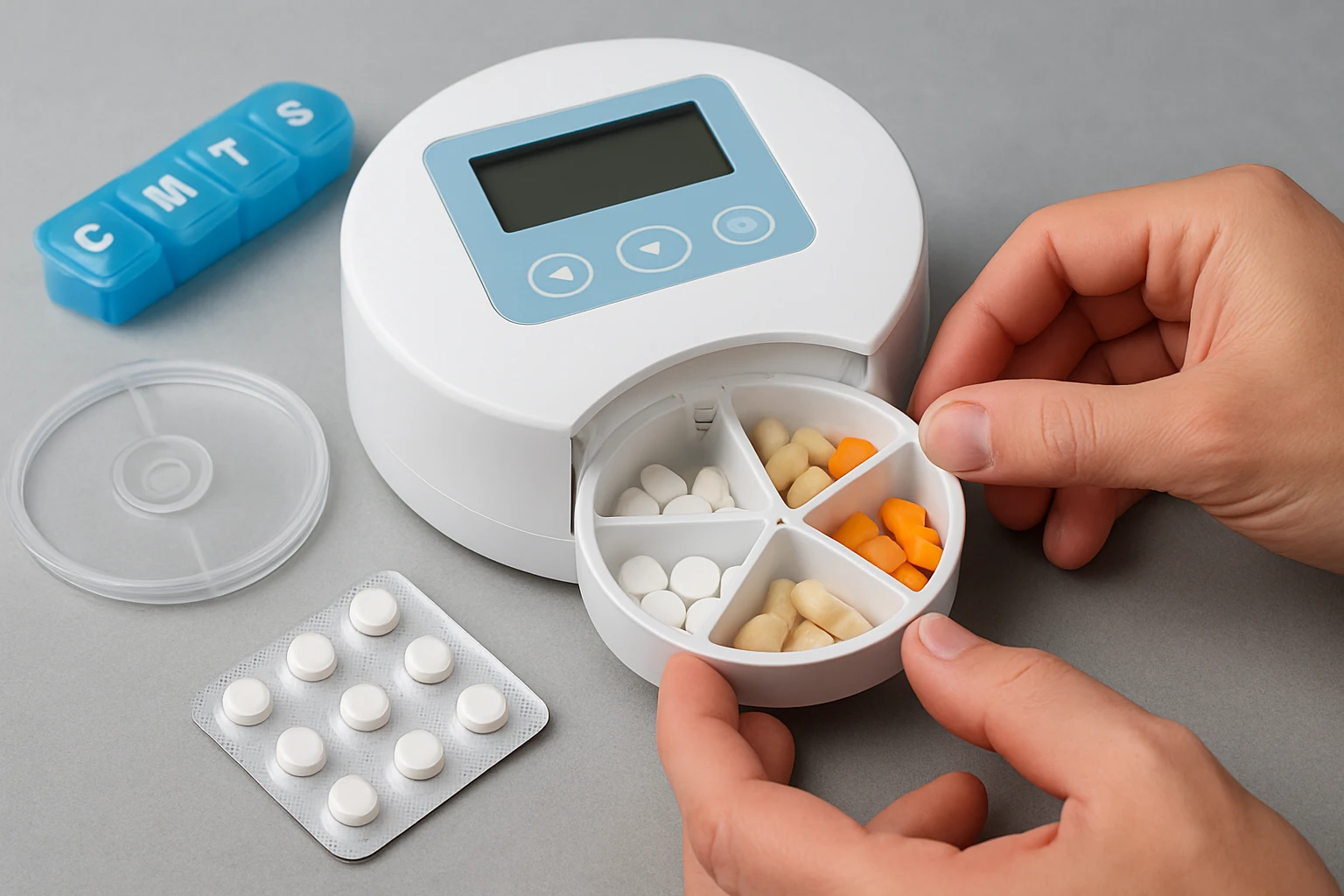
How to Set Up an Automatic Pill Dispenser Safely: Step‑by‑Step Guide and Essential Safety Tips
Introduction
This guide explains how to install, program, and maintain an automatic pill dispenser so that medication adherence becomes reliable and stress‑free. One will discover how to choose the appropriate location, configure alarms, load doses correctly, and verify that the device operates safely. The information is valuable for caregivers, seniors, and anyone responsible for managing complex medication schedules because missed or double doses can lead to serious health consequences.
Each section presents clear actions, explains why a particular step matters, and suggests a product that simplifies the task. The recommendations are based on real customer feedback, price, and feature sets, allowing the reader to make an informed purchase decision if a tool is needed.
The guide assumes a basic familiarity with electronic devices but does not require technical expertise. By following the instructions, one will achieve a secure and dependable medication delivery system.
Let us begin with the materials required for a successful setup.
What You'll Need
- Automatic pill dispenser (choose one that matches the user's dexterity and security needs)
- AA or AAA batteries (if the device is battery powered)
- Spare medication tray or interchangeable dosage rings (optional but useful for travel or backup)
- Cleaning cloth and mild disinfectant
- Instruction manual supplied by the manufacturer
- Stable surface with easy access to a power outlet (if the device requires AC power)
For most users, the following products cover these requirements:
- e‑Pill MedTime Station – premium locked dispenser with tipper base and stainless‑steel cup ($479.95, 4.2/5 rating)
- Live Fine Automatic Pill Dispenser – affordable 28‑day organizer with interchangeable rings ($89.99, 4.1/5 rating)
- EziMedPil 28‑Day Pill Dispenser – high‑capacity model with magnifier and key lock ($58.99, 4.1/5 rating)
- iPalmay Weekly Pill Organizer – compact weekly box for short‑term use ($13.50, 3.2/5 rating)
Step 1: Unbox and Inspect the Device
Begin by removing the dispenser from its packaging. Verify that all components listed in the manual are present, including the main unit, spare tray, keys, batteries, and any accessories such as a tipper base. Inspect the plastic hinges and locking mechanisms for visible cracks or misalignment. A thorough visual check prevents later malfunctions that could compromise safety.
If the unit includes a tipper base, as the e‑Pill MedTime Station does, ensure that the stainless‑steel cup is securely attached. The tipper base is particularly useful for users with limited hand strength because it allows medication to be dispensed by a simple tilt motion rather than pressing small buttons.
Record the serial number for warranty purposes. The e‑Pill model offers a 1‑year warranty and a 30‑day money‑back guarantee, which can be valuable if a defect is discovered during inspection.
Place the device on a clean, flat surface to avoid dust accumulation before the first use.
Step 2: Choose an Appropriate Placement
Select a location that is both convenient for the medication user and secure from accidental knocks. The surface should be stable, such as a bedside table, kitchen counter, or bathroom vanity. Avoid placing the dispenser near direct sunlight or heat sources, as excessive temperature can affect battery life and plastic integrity.
For users who travel frequently, the EziMedPil 28‑Day Pill Dispenser includes two secure grips on the back, making it easier to carry without the risk of dropping.
If the user lives in a shared space, consider a locked model such as the e‑Pill MedTime Station. Its key‑locked lid prevents unauthorized access, which is essential for households with children or pets.
After deciding on the spot, ensure that the power outlet (if required) is within reach but not exposed to water.
Step 3: Power the Device and Install Batteries
Many dispensers operate on AA or AAA batteries, while some also accept an AC adapter. Insert fresh batteries according to the polarity markings. The Live Fine Automatic Pill Dispenser uses standard AA batteries, which are readily available and inexpensive.
After battery insertion, power on the unit and check the low‑battery indicator. If the indicator flashes, replace the batteries immediately to avoid interruption during medication times.
For devices with a rechargeable option, charge the unit for at least two hours before the first use. A fully charged battery ensures that alarms will sound even during power outages.
Record the date of battery installation in a log; this practice simplifies future maintenance.
Step 4: Program Alarms and Dosage Schedules
Using the device’s interface, set the current time first. Most dispensers provide a three‑button layout for hour, minute, and AM/PM selection. Follow the on‑screen prompts to configure up to six daily alarms. The e‑Pill MedTime Station supports six sound and visual alerts, which is ideal for complex regimens that require morning, noon, evening, and bedtime doses.
Assign each alarm to the appropriate compartment. The e‑Pill model offers a 28‑compartment tray, allowing separate storage for each dose of the day across four weeks. This flexibility reduces the frequency of refilling.
If the user prefers a visual cue, enable the flashing light feature available on the EziMedPil. The combination of auditory and visual alerts accommodates users with hearing impairment.
Save the program and verify that each alarm appears on the display. A quick test (pressing the “Test Alarm” button, if present) confirms that the sound level is appropriate for the user’s environment.
Step 5: Load Medication Correctly
Before loading, wash hands thoroughly and dry them completely. Arrange pills according to the prescribed schedule, placing the correct number of tablets into each compartment. The tipper base of the e‑Pill MedTime Station guides pills into the stainless‑steel cup with a smooth, spill‑free motion, which is beneficial for users who have tremors.
If the dispenser uses interchangeable dosage rings, such as the Live Fine Automatic Pill Dispenser, select the ring that matches the number of pills per dose. The high‑capacity slots can hold up to 18 pills, reducing the need for frequent refills.
Close each compartment firmly and engage the lock if the model provides one. The key lock on the EziMedPil prevents accidental opening, which is especially important for controlled substances.
After loading, perform a visual inspection to ensure no pills are stuck in the dispensing mechanism. A quick shake of the unit (while the lid is locked) can dislodge any stray tablets.
Step 6: Conduct a Full Functional Test
Run a simulated cycle by manually triggering each alarm. For locked models, use the lever or tipper to release medication, then observe whether the alarm stops automatically when the device is flipped upside down. This step validates that both the auditory alert and the dispensing action work together.
Document any irregularities, such as delayed sound or incomplete pill release. If a problem is detected, consult the troubleshooting section before proceeding.
Ask the medication user to perform a trial dose under supervision. This hands‑on experience builds confidence and highlights any usability concerns, such as button size or lever resistance.
Once the test is successful, the dispenser is ready for daily operation.
Step 7: Secure the Device and Establish Maintenance Routine
Lock the dispenser in its chosen location using the supplied key. Keep the spare key in a safe but accessible place for caregivers. For models without a key lock, consider attaching a small cable lock to a sturdy piece of furniture.
Schedule a weekly inspection to wipe the exterior with a damp cloth and check battery status. Replace batteries at the first sign of low‑battery warning to avoid missed doses.
Periodically review the medication schedule with a healthcare professional to ensure that any changes in prescription are reflected in the programming.
Maintain a log of refill dates, battery replacements, and any error messages displayed by the unit. This record simplifies warranty claims and assists caregivers in tracking adherence over time.
Tips & Pro Tips
- Use a spare medication tray for travel or when caring for multiple individuals; the e‑Pill MedTime Station offers compatible trays that can be pre‑loaded at home.
- Place the dispenser near a night‑light if the user relies on visual cues after dark.
- Set the alarm volume to a level that is audible but not startling; many devices allow volume adjustment through a simple dial.
- If the user has vision loss, the magnifying glass on the EziMedPil provides a close‑up view of the compartment label.
- Integrate the dispenser with a smart speaker (e.g., Amazon Echo) if the model supports voice reminders; this can reinforce the alarm for tech‑savvy households.
Troubleshooting
| Problem | Possible Cause | Solution |
|---|---|---|
| Alarm does not sound | Battery low or speaker muted | Replace batteries and verify speaker volume setting. |
| Pills remain stuck in the dispenser | Improper loading or worn tipper | Re‑load pills ensuring they are aligned; clean tipper base and consider a spare tipper if wear is evident. |
| Device fails to lock | Key not fully engaged or hinge misalignment | Insert key completely and check hinge for debris; contact manufacturer if lock remains faulty. |
| Time resets after power loss | Battery removal or depletion | Use a backup battery and avoid removing batteries unless necessary. |
Conclusion
By following the seven steps outlined above, one can set up an automatic pill dispenser safely, program accurate alarms, and maintain reliable operation over the long term. The guide emphasizes the importance of proper placement, battery management, and regular testing, all of which reduce the risk of missed or double doses.
Choosing a dispenser that matches the user’s physical abilities and security requirements—whether the premium e‑Pill MedTime Station, the budget‑friendly Live Fine Automatic Pill Dispenser, the high‑capacity EziMedPil 28‑Day Pill Dispenser, or the portable iPalmay Weekly Pill Organizer—ensures that medication management becomes a seamless part of daily life.
Implementing the safety tips and troubleshooting strategies provided will further protect the user and give caregivers peace of mind.
Products Mentioned in This Guide
Frequently Asked Questions
What is the ideal location for placing an automatic pill dispenser?
Choose a stable, dry spot at eye level near a power outlet, away from pets and direct sunlight, so you can see and access it easily.
How do I set up alarms and reminders on the dispenser?
Use the device’s built-in menu or companion app to schedule alerts for each medication time, then test the sound and volume.
What steps prevent loading errors when filling the dispenser?
Read the label, match each compartment to the prescribed dose, double‑check the count, and close the lid securely before powering on.
How frequently should I clean and maintain the pill dispenser?
Wipe the exterior daily with a dry cloth and perform a thorough cleaning of compartments weekly according to the manufacturer’s instructions.
What safety features help avoid double dosing?
Most models include lockout timers, dose‑verification prompts, and audible alerts that stop the device until the previous dose is confirmed taken.