Smart Home Emergency Routines for Seniors: The Essential Step‑by‑Step Guide
Introduction
Older adults often face unique challenges when unexpected events occur in the home. This guide explains how to design reliable emergency routines that leverage smart‑home technology, ensuring safety, independence, and peace of mind. Readers will learn essential concepts, practical strategies, and product recommendations that enhance preparedness without sacrificing simplicity. The information presented is grounded in current standards and real‑world experience, making it suitable for caregivers, senior living communities, and seniors themselves.
Background and Context
Smart‑home devices have evolved from luxury conveniences to critical safety tools. Sensors, voice assistants, and connected appliances can detect hazards such as fire, carbon monoxide, or sudden health declines, and they can automatically alert family members or emergency services. For seniors, these capabilities reduce the need for constant manual monitoring and provide a layer of protection that aligns with aging‑in‑place goals. Understanding how these technologies integrate with daily routines is the foundation of an effective emergency plan.
Key terminology includes:
- IoT (Internet of Things): Networked devices that communicate data to a central hub or cloud service.
- Automation: Pre‑defined actions triggered by sensor input or scheduled events.
- Geofencing: Location‑based triggers that activate or deactivate devices when a person enters or leaves a defined area.
By mastering these concepts, seniors can create routines that respond automatically to emergencies while remaining easy to manage.
Designing Core Emergency Routines
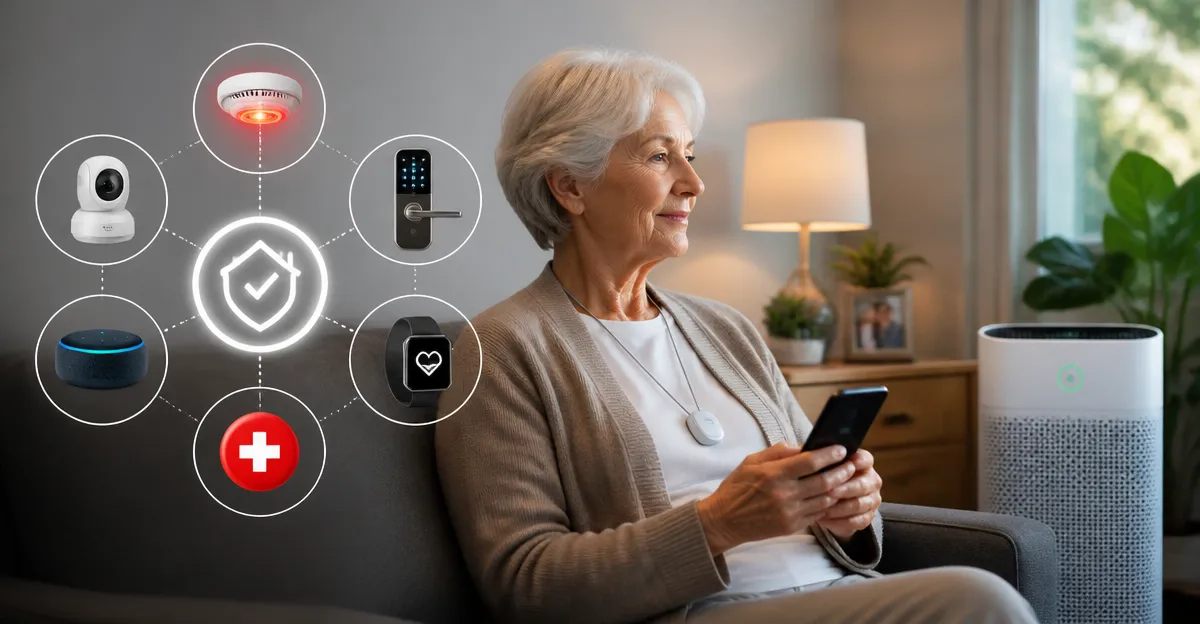
Effective emergency routines consist of three layers: detection, notification, and response. Each layer should be supported by at least two redundant methods to ensure reliability.
1. Hazard Detection
Install dedicated sensors for fire, smoke, carbon monoxide, and water leaks. Choose devices that integrate with major voice assistants such as Alexa or Google Assistant, because voice feedback provides immediate audible confirmation. For seniors with limited mobility, consider sensors that also emit flashing lights.
2. Automated Notification
When a sensor is triggered, the system should send alerts to multiple recipients. Typical pathways include:
- Push notification to the senior’s smartphone or tablet.
- Automated voice call to a pre‑selected family member or caregiver.
- Direct dispatch to emergency services via a connected hub that supports e‑911.
Ensure that contact lists are regularly updated and that the senior practices acknowledging each alert.
3. Immediate Response Actions
Automation can also execute protective actions without human input. Examples include turning on all lights, unlocking doors for first responders, or activating a high‑efficiency air purifier to mitigate smoke inhalation. The following product recommendations illustrate how air quality management fits into this response layer.
Recommended Smart Air Purifiers for Emergency Situations
During fire or smoke events, maintaining breathable air is critical, especially for seniors with respiratory conditions. Two highly rated devices provide complementary coverage for different living spaces.
- Levoit Core 600S Smart Air Purifier: Designed for large rooms up to 2,933 ft², it offers AHAM VERIFIDE certification, a three‑stage filtration system with 99.97 % efficiency, and real‑time PM2.5 monitoring. The unit supports Alexa voice control and includes a sleep mode that operates at HEPA‑grade performance while remaining silent. With a rating of 4.6/5 from 6,205 reviews, it provides reliable performance for living rooms, basements, or open‑plan apartments.
- Govee Mini HEPA Smart Air Purifier: Compact enough for bedrooms or small offices, it covers 376 ft² per hour and features a 360° dual‑channel intake. The device integrates with a mobile app for custom scheduling, quiet operation as low as 24 dB, and an aromatherapy function that can improve comfort during recovery. It holds a 4.7/5 rating from 3,726 reviews, making it a trusted choice for personal spaces.
Both purifiers can be linked to a central smart‑home hub, allowing them to activate automatically when smoke detectors report elevated particulate levels. This automation ensures that air quality improves even before the senior can manually intervene.
Comparison and Selection Guide
| Feature | Levoit Core 600S | Govee Mini HEPA |
|---|---|---|
| Coverage Area | Up to 2,933 ft² (large living rooms, basements) | Up to 376 ft² (bedrooms, small offices) |
| Filtration Stages | Pre‑filter, True HEPA, Activated Carbon (3‑stage) | HEPA filter, optional carbon pad, aromatherapy pad |
| Smart Integration | Alexa, Wi‑Fi, mobile app, PM2.5 sensor | App, Alexa, IFTTT, optional air‑quality monitor |
| Noise Level (Sleep Mode) | Very low, comparable to a whisper | 24 dB (quiet enough for sleep) |
| Price | $296.00 | $39.99 |
| User Rating | 4.6/5 (6,205 reviews) | 4.7/5 (3,726 reviews) |
When selecting a purifier for emergency preparedness, consider the size of the primary living area, the senior’s sensitivity to noise, and the desired level of smart integration. The larger Levoit model excels in open‑plan homes, while the Govee Mini offers portable convenience for personal spaces.
Best Practices and Tips for Seniors
- Conduct a monthly test of all sensors and ensure that alerts reach the designated contacts.
- Maintain clear pathways to exits; remove tripping hazards that could impede evacuation.
- Place air purifiers near potential smoke sources, such as kitchens, to maximize early filtration.
- Set the smart home hub to announce critical alerts via both voice and visual cues, accommodating hearing or vision impairments.
- Enroll in local emergency notification programs that can send community alerts to the smart hub.
- Keep spare batteries for battery‑powered sensors in an accessible location.
- Review and update the emergency contact list after any change in family or caregiver arrangements.
These practices reinforce technology with human readiness, creating a resilient safety net for seniors.
Frequently Asked Questions
1. How does a smart air purifier help during a fire?
When smoke detectors sense elevated particulate matter, the connected purifier can automatically increase fan speed and operate in a high‑efficiency mode, reducing inhaled toxins while the senior evacuates or awaits rescue.
2. Can I control the devices without a smartphone?
Yes. Both recommended purifiers support voice commands through Alexa, allowing seniors to adjust settings verbally. Additionally, many hubs provide physical remote controls or wall‑mounted panels.
3. What if the internet connection fails during an emergency?
Local automation runs on the hub’s internal network, so devices can still respond to sensor triggers even without cloud access. However, remote notifications to caregivers will require an internet connection; a cellular backup modem can mitigate this risk.
4. How often should filters be replaced?
Manufacturers recommend replacing HEPA filters every 6‑12 months, depending on usage intensity. Both purifiers provide app notifications when filter efficiency declines.
5. Are there privacy concerns with continuous monitoring?
Most smart‑home systems encrypt data in transit and store it on secure servers. Seniors should review privacy policies and disable any nonessential data collection features.
6. Is it safe to use aromatherapy during a smoke event?
Aromatherapy pads should be removed when smoke is present, as additional fragrances can irritate the respiratory system. The Govee Mini allows the pad to be detached easily.
7. What backup power options exist for sensors?
Many smoke and carbon‑monoxide detectors include battery backup that operates for years. Consider a UPS (uninterruptible power supply) for the hub and essential smart devices.
Conclusion
Smart‑home technology offers seniors a proactive approach to emergency preparedness, combining early detection, automated response, and reliable communication. By establishing layered routines, selecting appropriate devices such as the Levoit Core 600S Smart Air Purifier for large spaces and the Govee Mini HEPA Smart Air Purifier for personal rooms, seniors can safeguard air quality during fire or smoke incidents. Regular testing, clear communication pathways, and adherence to best‑practice guidelines complete a robust emergency framework that preserves independence and peace of mind.
Products Featured in This Guide
Levoit Core 600S Smart Air Purifier
Price: $296.00 | Rating: 4.6/5 (6,205 reviews)
Featured for its large‑room coverage, AHAM VERIFIDE certification, and seamless Alexa integration, making it ideal for living rooms and basements where smoke may accumulate rapidly.
Govee Mini HEPA Smart Air Purifier
Price: $39.99 | Rating: 4.7/5 (3,726 reviews)
Featured for its compact size, ultra‑quiet operation, and aromatherapy option, providing targeted air cleaning for bedrooms and small personal spaces during emergencies.